
Official Proton VPN Apps for Every Major Platform
Get the official Proton VPN apps for Windows, Android, macOS, iOS and Linux. This page covers the real Free plan limits, quick setup steps and common fixes so you can download and connect with confidence.
Windows 10 64-bit build 19045 or later, including Windows 11. Proton provides separate x64 and ARM64 installers.
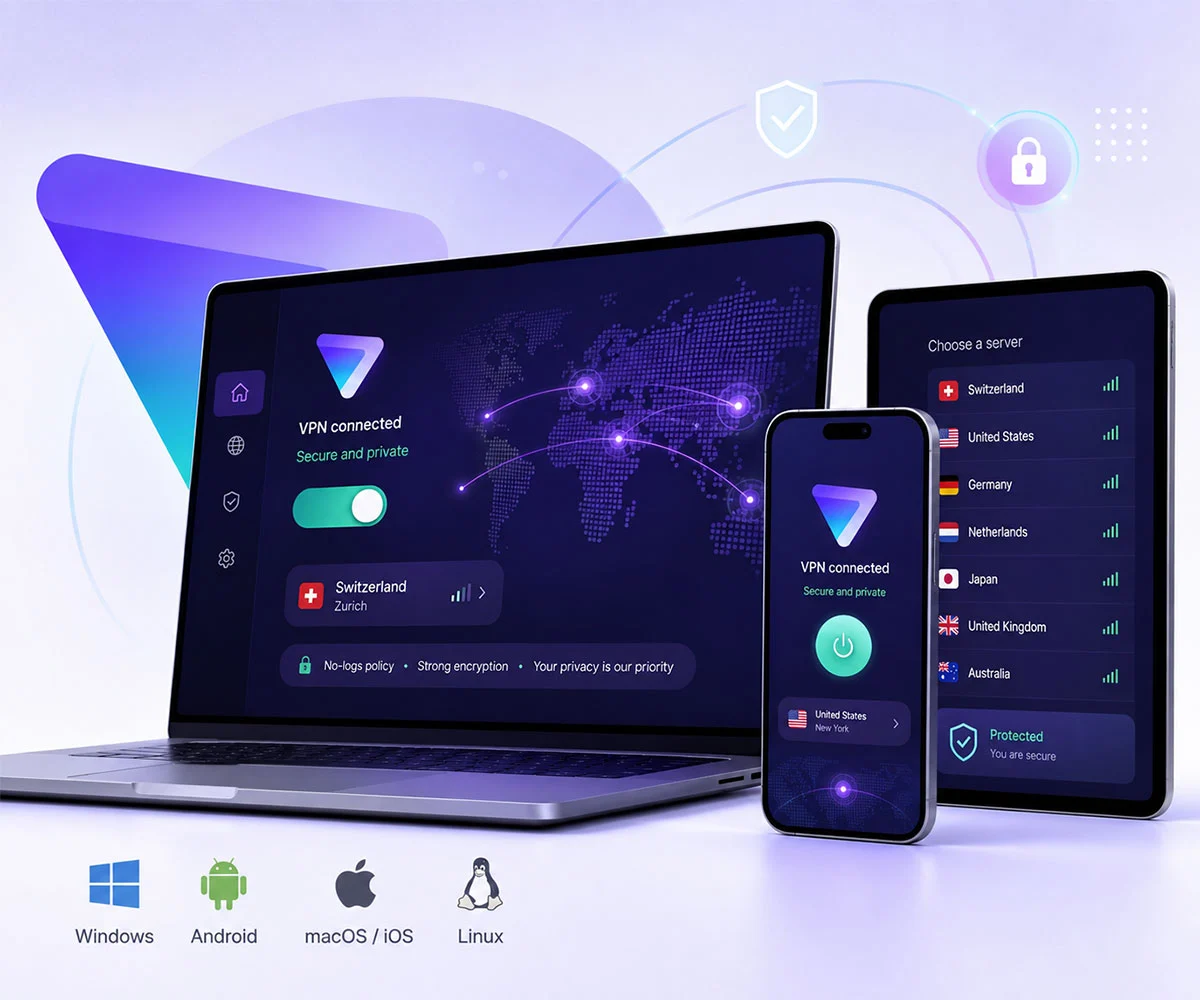
Download Proton VPN for Your Device
Every download button on this page takes you through the shortest verified official route. Android and iOS buttons open the official Google Play and App Store listings directly. Windows, macOS and Linux buttons lead to Proton’s own download pages because those platforms need specific installers based on architecture and system version. This keeps the process simple and ensures you always get the real files from Proton.
Windows
Official Proton installer selectorProton supports Windows 10 64-bit build 19045 and later, including Windows 11. Choose the x64 installer for most PCs or ARM64 for compatible ARM-based Windows devices.
Android
Direct official stores / repositoriesGoogle Play is the simplest route for most users. Proton also publishes the open-source Android app through F-Droid and its official GitHub releases for users who need an APK.
macOS
Official Proton DMG routeUse Proton’s macOS page so you receive the current installer for your supported macOS version. Installation uses a DMG package and the app is dragged into Applications.
iPhone & iPad
Direct Apple App StoreInstall Proton VPN directly from Apple’s App Store. Proton’s current app supports Guest mode for Free access without a Proton Account on supported iOS/iPadOS versions.
Linux
GUI, CLI & manual setupProton officially supports GUI installation on Debian, Ubuntu and Fedora; its CLI also supports Arch. Manual WireGuard and OpenVPN configuration is available for Linux systems.
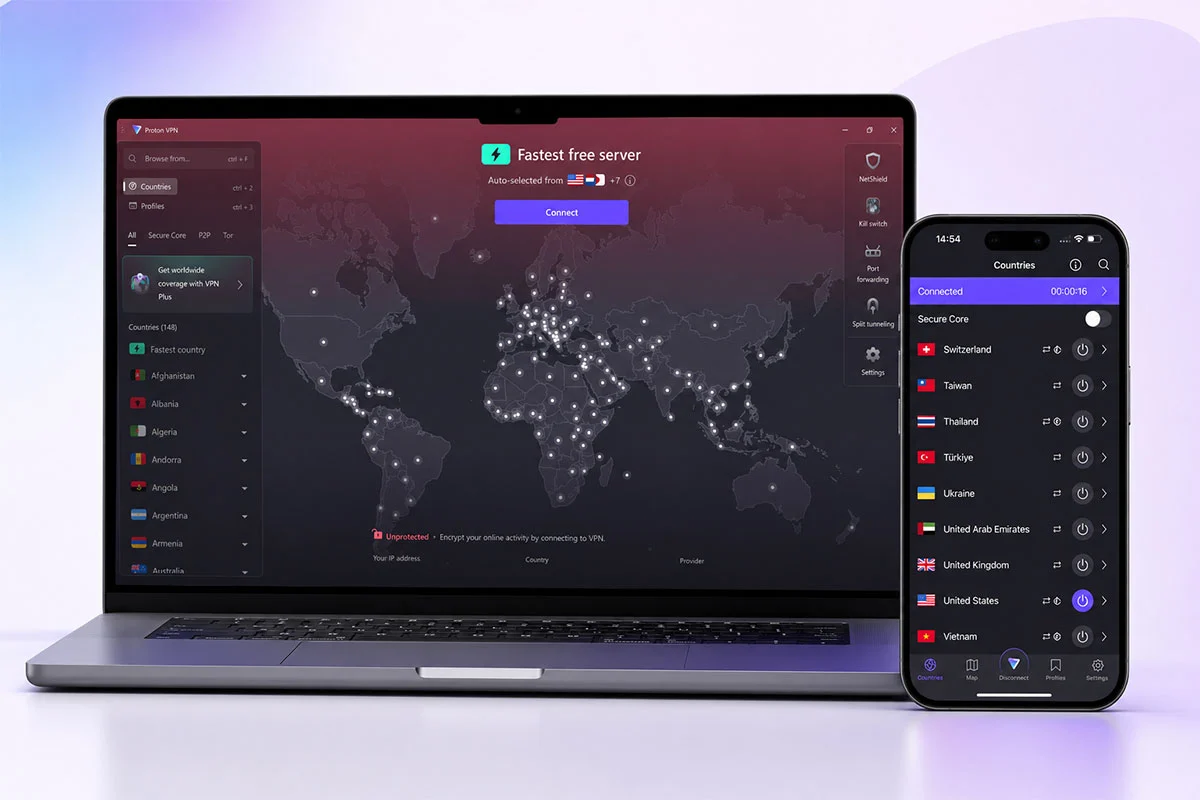
Is Proton VPN Free? What You Actually Get
Proton VPN Free gives you unlimited data with no ads and no credit card required. You can connect one device at a time. Free servers are currently available in 10 countries, but you cannot freely choose a specific country or server the way paid users can. The free plan assigns servers automatically.
Proton does not place any artificial data or speed limits on the free plan. Real-world performance still depends on server load, distance, and your own internet connection.
For basic privacy, browsing, and light daily use, the free plan remains one of the strongest options available. If you need consistent country selection, higher speeds, or more devices, the paid plan becomes more practical.
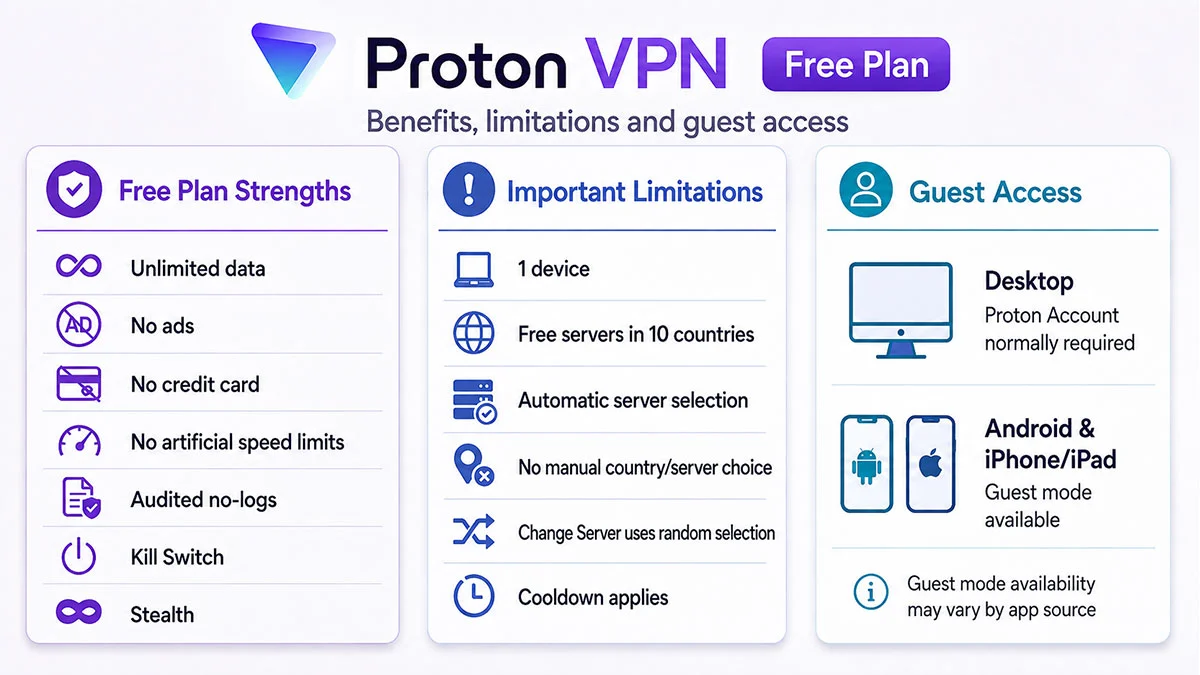
Free Plan Strengths
Unlimited data, no advertising, strict audited no-logs protection, Kill Switch, and free anti-censorship tools including Stealth. Proton states that the Free plan has no artificial data or speed limits.
Important Limitations
Free accounts are limited to one simultaneous device and servers in 10 countries. You cannot freely choose a specific country or server the way paid users can. Using Change Server moves you to another randomly selected free server after a short cooldown.
Account & Guest Access
On desktop you normally need a Proton Account. On Android and iPhone/iPad, Proton offers Guest mode so you can use Free features without signing in. Paid features still require a paid account. Guest mode may not work with the GitHub or F-Droid APK.
Proton VPN Free vs Plus
The Free plan is strong for basic privacy protection and accessing blocked content. It works well for everyday browsing and situations where you mainly need a reliable no-logs connection.
The Plus plan is built for users who need more control and features. It gives you the ability to choose specific countries, supports streaming services, allows P2P traffic, lets you connect multiple devices at the same time, and unlocks premium tools like Secure Core, NetShield and split tunneling.
| Decision factor | Proton Free | Proton Plus |
|---|---|---|
| Data allowance | Unlimited data; no bandwidth cap | Unlimited data |
| Simultaneous devices | 1 device | Up to 10 devices |
| Server access | Free servers in 10 countries | 20,000+ servers in 140+ countries |
| Manual location selection | Automatic / randomized Free selection; Change Server has a cooldown | Choose supported country, city and server |
| Streaming | No supported streaming coverage on the Free plan | Secure streaming is included on paid plans |
| P2P / Torrenting | Not included | Included on all paid plans; supported on Windows, macOS, Android and Linux, with P2P servers also available in iOS/iPadOS |
| Advanced features | Core privacy + Kill Switch + Stealth | NetShield, Secure Core, Split Tunneling, VPN Accelerator, Port Forwarding and other premium tools; platform availability varies |
When does upgrading make sense?
You may want to upgrade when the Free plan starts to feel limited in daily use. Common situations include needing to choose a specific country every time, watching streaming services that only work on paid servers, or downloading torrents that require P2P support.
Other practical reasons are connecting more than one device at the same time, using Secure Core for stronger protection, enabling NetShield to block ads and trackers, setting up split tunneling, or needing port forwarding. These features are designed for users who rely on the VPN for more than basic browsing and privacy.
How to Install Proton VPN
Installing Proton VPN is straightforward on every major platform. Download the official app for your device, install it, sign in or create a free account, and connect to a server. The steps below cover the most common platforms. Advanced users can skip ahead to the section that matches their system.
Install Proton VPN on Windows
- Choose x64 or ARM64Most Windows PCs use x64. ARM64 is for compatible ARM-based Windows hardware. Proton supports Windows 10 64-bit build 19045 and later.
- Download from ProtonUse Proton’s stable Windows download page instead of saving a version-specific EXE link that can change with releases.
- Run the installerOpen the downloaded installer and follow Proton’s setup wizard. If Windows shows a warning, verify the source before proceeding rather than bypassing security blindly.
- Sign inDesktop users sign in with a Proton Account. Existing Proton Mail credentials can be used with Proton VPN.
- ConnectUse Quick Connect / Fastest Free Server for a quick connection; paid users can manually choose supported locations and servers.
Install Proton VPN on Android
- Choose an official sourceGoogle Play is simplest. Proton also publishes the Android app on F-Droid and as an APK through its official GitHub repository.
- Install the appInstall normally from the store. For an APK, enable installation from that trusted source only when required by Android.
- Avoid unofficial APK sitesUse Proton’s verified GitHub release or F-Droid instead of third-party mirrors.
- Sign in or continue as guestProton currently supports anonymous Guest mode on Android for access to Free app features; paid features require a paid Proton Account.
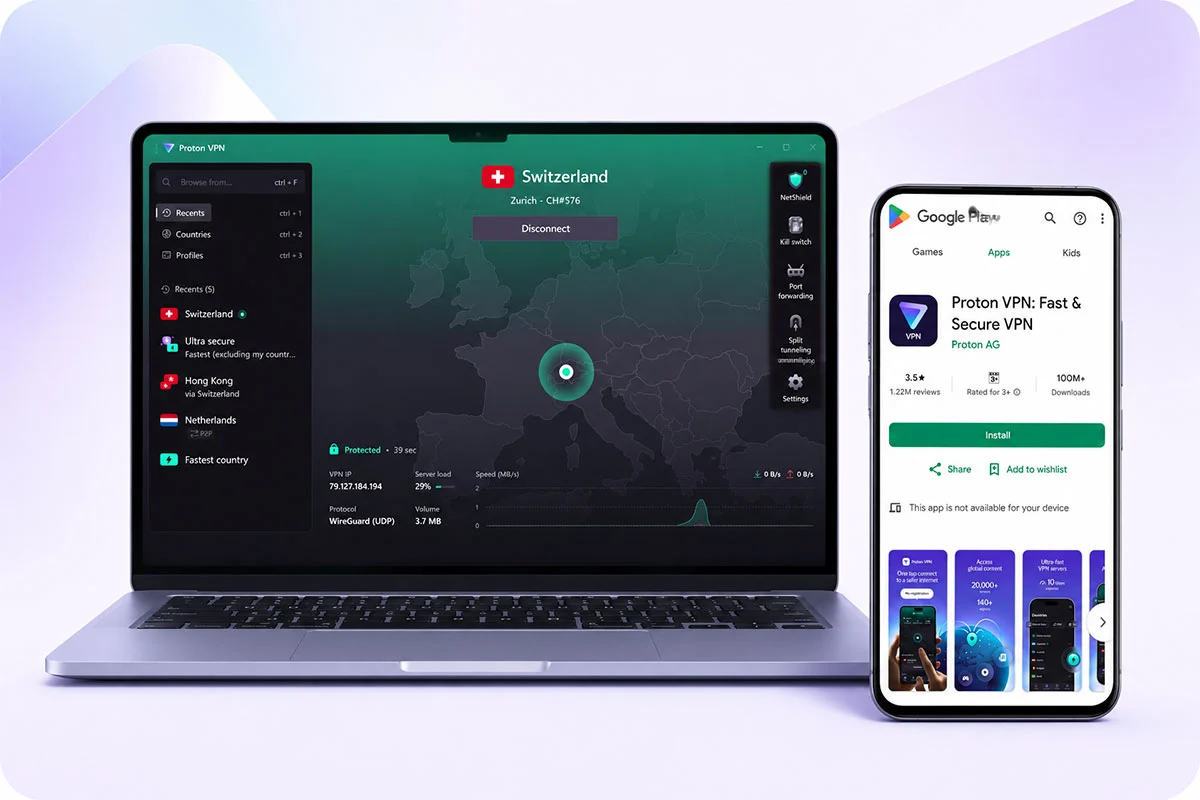
macOS installation
Download the current Proton VPN DMG from Proton, open the DMG in Finder, drag Proton VPN into Applications, then launch it. Proton may show a standard macOS confirmation prompt on first open.
iPhone and iPad installation
Install Proton VPN directly from the Apple App Store. Sign in with a Proton Account for normal account use, or use the currently supported Guest mode for Free access without creating an account.
Linux installation
Use Proton’s Linux page for distribution-specific instructions. The official GUI supports Debian, Ubuntu and Fedora; the CLI supports Debian, Ubuntu, Fedora and Arch. Manual WireGuard and OpenVPN configuration is also available.
Is Proton VPN Safe?
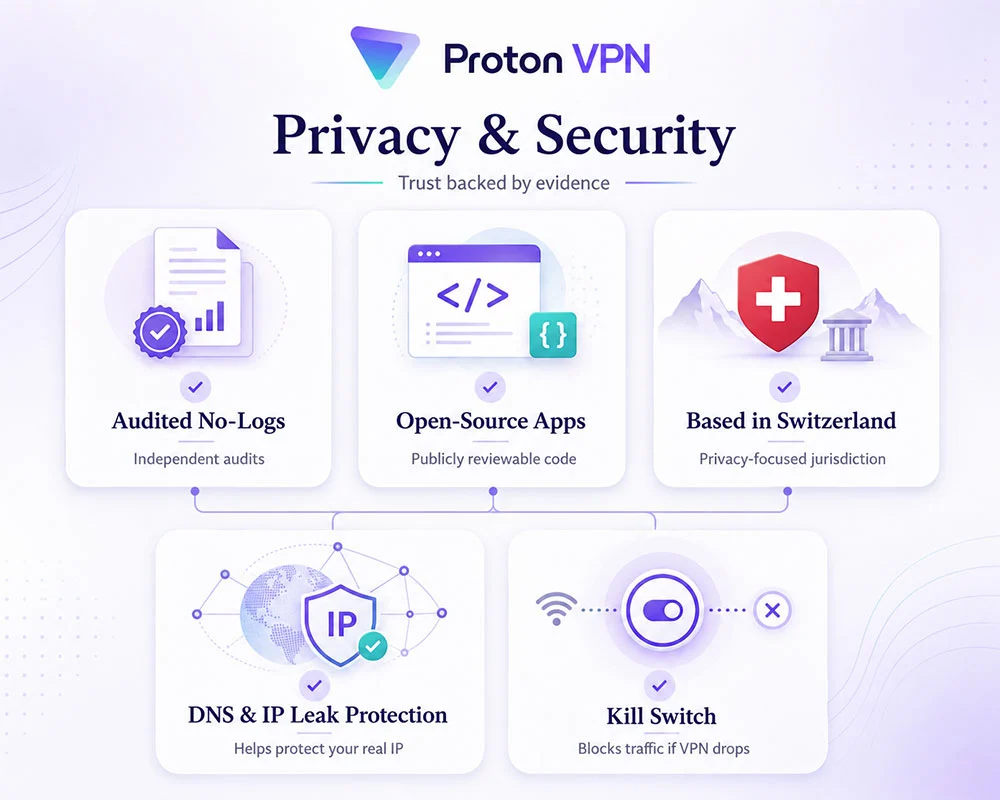
Proton VPN is one of the few providers that backs its privacy claims with clear evidence. The company operates under a strict no-logs policy that has been independently audited. This means Proton does not keep records of the websites you visit, your connection timestamps, or your original IP address.
The apps themselves are open-source, so security researchers can review the code. Multiple independent audits have examined both the applications and the no-logs claims, giving users a higher level of verification than most VPN services offer.
Proton is based in Switzerland, a country with strong privacy laws that sit outside the 14 Eyes intelligence alliances. The apps also include built-in DNS and IP leak protection plus a reliable Kill Switch. If the VPN connection drops, the Kill Switch blocks your internet traffic so your real IP cannot be exposed.
For an ordinary user, these features mean you do not have to simply trust marketing statements. You can rely on published audits, open code, and Swiss legal protection when deciding whether Proton is safe enough for your needs.
Privacy and Security Sources
You can review Proton’s no-logs policy, its independent no-logs audits, and information about open-source apps and security audits.
Proton VPN Features and Protocols
Proton VPN’s features are not identical across every plan and operating system. Some tools are limited to the paid plan, while others work differently depending on whether you use Windows, Android, macOS, iOS or Linux. The information and badges below are based on Proton’s official documentation as of August 2026. Feature availability can change, so it is worth checking the latest details after major app updates.
WireGuard & OpenVPN
WireGuard UDP is broadly supported across Proton apps. In Proton’s current app protocol matrix, OpenVPN remains available in the Linux GUI app while other current apps focus on WireGuard, Stealth and Smart Protocol.
Platform-dependentStealth & Smart Protocol
Stealth disguises VPN traffic to help on networks that block VPN connections. It is available on all Proton VPN plans, including Free, on supported platforms; Smart Protocol automatically chooses a workable protocol.
Free & paid • platform-dependentKill Switch
Kill Switch blocks internet traffic if the VPN tunnel drops, reducing the risk of exposing your real IP. Behavior and compatibility with other features can vary by platform.
Core / Free featureSecure Core
Secure Core routes traffic through hardened Proton-controlled entry servers before the exit server. It is intended for higher-risk threat models and can reduce performance because of the extra routing step.
Paid plansNetShield
NetShield uses Proton’s DNS infrastructure to block known malware domains and, depending on settings, ads and trackers. Proton currently includes it in VPN Plus and other paid plans on all platforms.
Paid • all platformsSplit Tunneling
Split tunneling lets selected apps or destinations use or bypass the VPN tunnel. Proton currently lists support on Windows, Linux GUI, macOS, Android, browser extension and Android TV.
Paid • platform-dependentVPN Accelerator
Proton’s VPN Accelerator is a paid-plan speed-optimization feature designed to improve throughput, especially over long-distance connections. Treat Proton’s percentage claims as vendor claims, not a guaranteed benchmark.
Paid plansPort Forwarding
Port forwarding is available on paid plans and currently supported through Proton’s Windows, macOS and Linux tools. It is mainly relevant to P2P users who need an inbound listening port.
Paid • Windows/macOS/LinuxBrowser Extensions
The standalone Proton VPN extensions are available for Chrome/Chromium and Firefox-based browsers, including Free accounts. They protect browser traffic only, not the full device connection.
Free & paid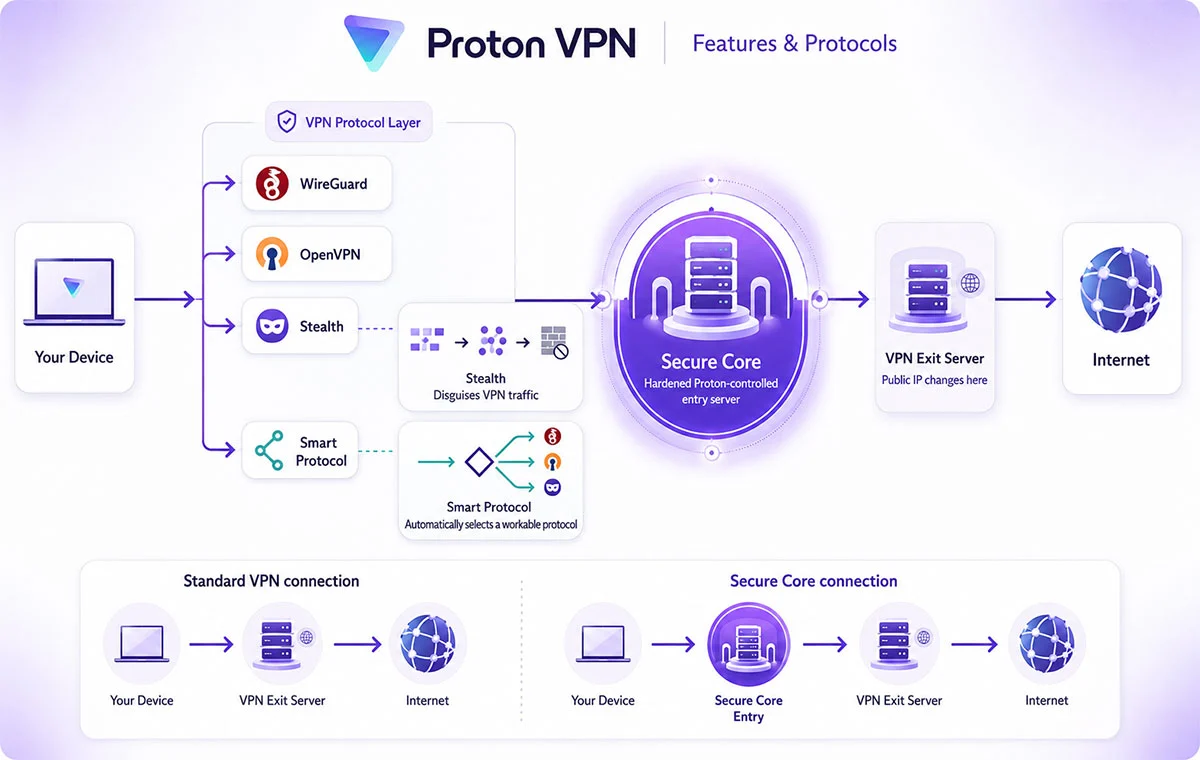
Proton VPN Speed, Streaming & Torrenting
VPN speed always depends on several real-world factors. Server load, the physical distance to the server, the protocol you choose, and the quality of your own internet connection all play a role. Proton does not publish fixed speed guarantees, but paid plans generally deliver better performance along with access to streaming and P2P servers that are not available on the Free plan.
Speed
Proton states that the Free plan has no artificial speed limit. In practice, free servers often carry higher load because more users share them, which can reduce performance. Paid users get access to a much larger server network and usually experience better speeds.
Several factors still affect real-world performance on both plans: the distance to the server, current server load, and the protocol you select. WireGuard is generally the fastest option. Proton’s VPN Accelerator can improve speeds on long-distance or unstable connections. Enabling Secure Core adds an extra hop for stronger privacy but creates some overhead. Speeds can also drop during peak hours when many people are online.
Streaming
Reliable streaming support is currently a paid-plan feature on Proton VPN. Free servers are not optimized for unblocking major platforms, so services like Netflix, Disney+, or others often fail or work inconsistently on the Free plan.
Streaming availability also changes over time. Platforms regularly detect and block VPN servers, and Proton updates its supported list accordingly. For the most accurate information about a specific service, check Proton’s official streaming documentation rather than relying on older reviews or screenshots.
Torrenting / P2P
Proton currently allows P2P and torrenting only on paid plans. The Free plan blocks this type of traffic. On Windows, macOS, Android and Linux you can connect to dedicated P2P servers. Support on iOS and iPadOS is more limited, and not every P2P server is available on those platforms.
Port forwarding is available on the desktop apps (Windows, macOS and Linux). It can improve torrent performance by making it easier for other peers to connect to you, which often leads to better download and upload speeds. Users who seed files regularly usually benefit the most from enabling this feature.
4FreeVPN Proton VPN Performance Benchmark
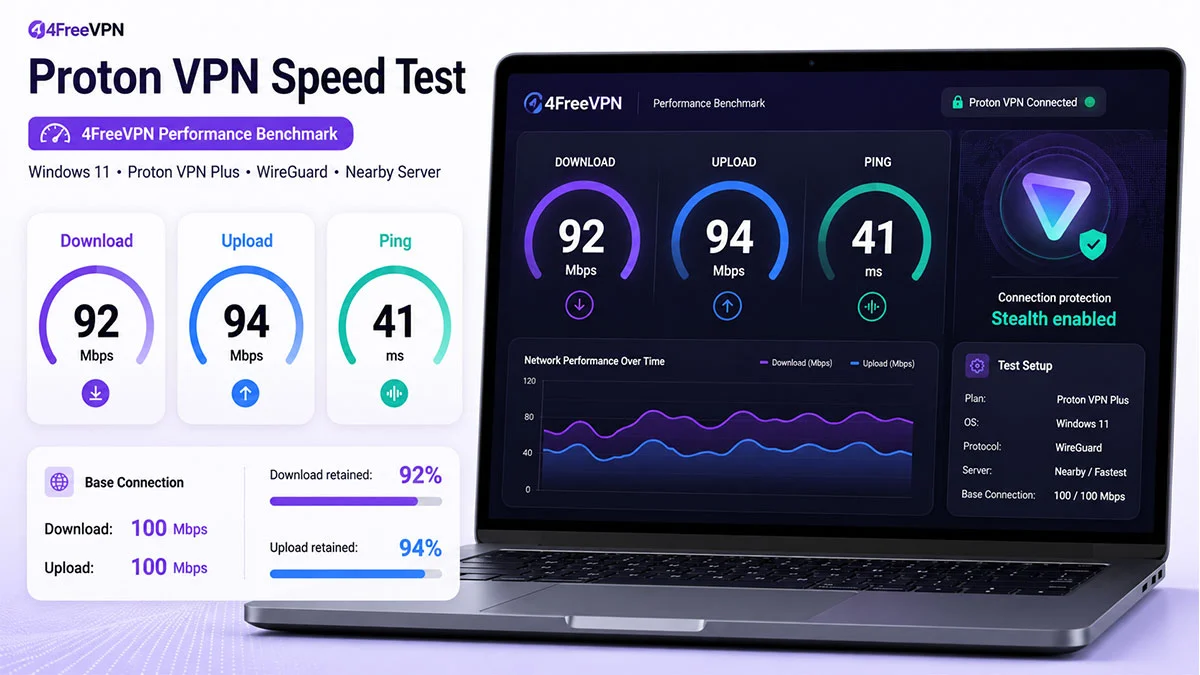
To give readers a practical performance reference, we used a 100 Mbps connection as the baseline for our Proton VPN benchmark. In our test, Proton VPN retained approximately 92 Mbps download and 94 Mbps upload speed, with latency around 41 ms. Actual results can vary depending on server location, server load, protocol, network quality and time of day.
Using Proton VPN on Restricted Networks
In places where VPNs are restricted, such as certain workplaces, schools, restrictive ISPs or countries that block VPN traffic, standard connections can fail. Proton offers several tools to improve the chance of connecting.
Stealth is Proton’s obfuscation protocol. It disguises VPN traffic so it looks more like regular HTTPS, which helps against deep packet inspection. Smart Protocol automatically selects the best available protocol for your network. Alternative Routing helps the app reach Proton’s servers even when the normal API is blocked.
If the official website or app stores are unavailable, Proton also provides official alternative distribution sources. The Android app can be downloaded from F-Droid or as an APK from Proton’s GitHub repository. These options give users additional ways to install the app when the usual channels are restricted.
Proton VPN in Iran
In Iran, VPN connections face strong filtering and deep packet inspection. Results with Proton VPN are mixed and can change quickly depending on the ISP and current restrictions.
When standard protocols fail, Proton recommends trying the Stealth protocol, which is designed to disguise VPN traffic. Some users also report better results when Alternative Routing is active. Success is not guaranteed and performance can vary.
If the official Proton website or app stores are blocked, the Android app can still be obtained from official alternative sources: Proton’s GitHub repository (APK) or F-Droid. These remain the safest ways to get the real app when normal download channels are unavailable.
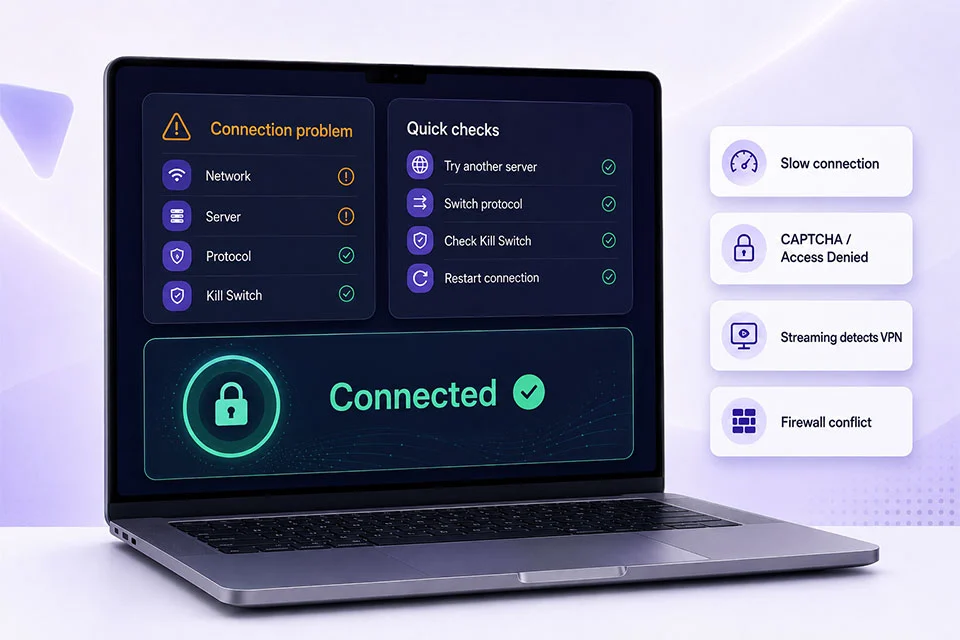
Common Proton VPN Problems & Quick Fixes
The checks below cover the most common Proton VPN problems: connection failures, slow speeds, websites that remain blocked, and installation issues. They are designed as quick first steps you can try yourself before moving on to more advanced troubleshooting.
| Problem / intent | Check first | Quick fix |
|---|---|---|
| Won’t connect / stuck connecting | Network, server, protocol | Try another server, switch protocol or use Smart Protocol/Stealth on networks that block VPN traffic, then restart the app/network if needed. |
| Keeps disconnecting | Wi-Fi/mobile switching, protocol, server | Test another server and protocol, update the app, and check whether unstable Wi-Fi or switching between Wi-Fi/mobile data triggers the drop. |
| Internet stops working | Kill Switch / connection state | Check whether Kill Switch is intentionally blocking traffic after a tunnel failure. Reconnect first; change Kill Switch settings only as a temporary diagnostic step. |
| Slow connection | Distance, load, protocol | Try a nearer/lower-load server, compare against your non-VPN baseline, and use a fast current protocol such as WireGuard/Smart Protocol. Secure Core can add latency. |
| CAPTCHA / Access Denied / Cloudflare | Shared VPN IP reputation | Switch to another server/IP, reload the session, and clear site cookies if appropriate. Some websites challenge shared VPN addresses more aggressively. |
| Streaming service detects VPN | Plan, service, server | Confirm you are on a paid plan supported for streaming, update the app, use a supported Plus server, and follow Proton’s service-specific streaming guide. |
| Windows installer blocked | Download source / Windows warning | Re-download from Proton’s official Windows page, verify the file/source, and investigate the warning rather than disabling Windows security indiscriminately. |
| Firewall or antivirus conflict | Security software networking rules | Check whether the security product is blocking the Proton app or VPN adapter. Create an allow rule when appropriate; do not leave security software permanently disabled. |
Proton VPN vs Popular Alternatives
The best VPN depends on what matters most to you. Some users want a permanent free plan with solid privacy. Others need the ability to choose specific servers, reliable streaming, P2P support, a strong no-logs model, or the option to connect several devices at once. The short comparison below highlights these differences so you can decide which option fits your priorities.
| Factor | Proton VPN | Windscribe | Mullvad | NordVPN | Surfshark |
|---|---|---|---|---|---|
| Free plan | Permanent Free plan; unlimited data; 1 device | Permanent Free plan; 2 GB/month without email or 10 GB/month with confirmed email | No permanent Free plan; €5/month | No permanent Free plan; limited Android trial may be available | No permanent Free plan; 7-day trial on eligible plans/platforms |
| Privacy / audits | Audited no-logs; open-source apps | No-identifying-logs policy; open-source apps; third-party audits | No activity logs; independent app/infrastructure audits published | No-logs policy independently assessed multiple times | No-logs policy independently verified by Deloitte |
| Server selection | Free: automatic/randomized among 10 countries; Plus: manual global selection | Free users can choose from free locations in 10 countries | Manual server/location choice with paid account | Manual selection across paid network | Manual selection across paid network |
| Streaming | Supported streaming coverage on paid plans | Streaming available; Free plan remains data-capped | Not optimized for Netflix-style unblocking; Mullvad documents bypassing the VPN for Netflix when blocked | Streaming-focused paid VPN with SmartPlay/support guides | Streaming-focused paid VPN |
| P2P | Paid plans | Paid locations only; Free servers currently block P2P | P2P use possible; no port forwarding | Standard servers support P2P | P2P/torrent use supported; no port forwarding |
| Simultaneous devices | 1 Free / up to 10 Plus | Unlimited personal-device connections, including Free | Up to 5 devices | Up to 10 devices | Unlimited on paid subscription; trial limited to 3 devices |
| Best fit | Users wanting unlimited-data Free privacy plus a strong paid upgrade path | Free users who value manual free-location choice and unlimited devices but accept a monthly data cap | Privacy-first users who prefer simple flat pricing and do not prioritize streaming | Paid users prioritizing broad commercial streaming/performance features | Households wanting unlimited paid-device connections and mainstream streaming features |
Related Proton VPN Guides
Explore more detailed Proton VPN guides covering the Free plan, installation, connection problems, Android APK downloads, restricted networks and comparisons with other popular VPN services.
Proton VPN FAQ
Here are short answers to the questions people ask most often about Proton VPN. If you need more detail on any topic, the related sections earlier on this page provide fuller explanations.
Is Proton VPN really free?
Yes. Proton VPN has a permanent Free plan with unlimited data, no ads, one simultaneous device, and access to Free servers in 10 countries. Paid plans add broader server choice, more devices, streaming, P2P and advanced features.
What’s the catch with Proton VPN Free?
The main trade-offs are one simultaneous device, a smaller Free server pool, randomized server changes and the absence of paid features such as supported streaming, P2P, Secure Core and NetShield.
Does Proton VPN Free have unlimited data?
Yes. Proton’s current Free plan has no data or bandwidth cap, and Proton states that it does not impose an artificial speed limit on the Free plan.
Does Proton VPN Free require a credit card?
Proton’s Free-account signup flow does not require purchasing a plan or entering payment details. On supported Android and iPhone/iPad apps, Guest mode can also provide Free access without creating an account.
Can I use Proton VPN without creating an account?
On current Android and iOS/iPadOS apps, yes: Proton offers Guest mode with access to Free features. Desktop use normally relies on a Proton Account.
Can I choose a country or server with Proton VPN Free?
Not in the same way as a paid user. Proton connects Free users to an available Free server and the Change Server action selects another option randomly, with cooldown periods between repeated changes.
Is Proton VPN safe?
Proton publishes a strict no-logs policy, keeps its apps open source, and commissions independent audits. Its apps also include core protections such as DNS leak protection and Kill Switch functionality, with platform differences.
Does Proton VPN work with Netflix and other streaming services?
Proton provides supported streaming coverage on paid VPN plans. Streaming platforms can change their VPN-detection systems, so compatibility with a specific service should be checked against Proton’s current streaming guides.
Can I torrent with Proton VPN Free?
No. Proton’s current P2P support is for paid VPN plans. P2P is supported on Windows, macOS, Android and Linux, and Proton also provides P2P servers in its iPhone/iPad apps although iOS lacks torrent clients in the App Store.
Why is Proton VPN slow or constantly disconnecting?
Common causes include server distance or load, protocol choice, local Wi-Fi/mobile instability, firewall/antivirus interference, or network-level VPN blocking. Try another server or protocol and use the troubleshooting section above for a structured first check.
Is Proton VPN Worth Downloading?
Proton VPN is a solid choice for users who value privacy and want a trustworthy free option. The strongest advantage of the Free plan is its combination of unlimited data, no ads, and a verified no-logs policy. The most important limitation is the single-device restriction combined with random server assignment, which reduces control and can affect speed during busy periods.
Its privacy strengths remain clear: open-source apps, independent audits, Swiss jurisdiction, and built-in leak protection. These factors make it more transparent than most free VPNs.
The Free plan works well for basic browsing and everyday privacy. A paid plan becomes more appropriate when you need consistent country selection, reliable streaming, P2P support, multiple devices, or advanced features such as Secure Core and NetShield. The decision depends on how much control and performance you require in daily use.